Showing posts with label usm. Show all posts

Tuesday, May 4, 2010

2 years after

~2.5 years ago I am still noob for photography .. I had no idea what is ISO, Shutter speed ... aperture .. and the photography started while I had my long training @ US

most of the picture share @http://picasaweb.google.com/liewwk76 ... those were old days while I just shoot for my fun (and I miss those day .. while I can simply shoot thousands of pictures without worry too much... less PP time.. no worry on compo .. )

and 2.5 years later I went back to same place while I assign for a assignment back to same place here are 2 pictures I stand @ very similar location (which can see from my flickr @ http://www.flickr.com/photos/liewwk/4576930872/ (look for Taken in

2007 Oct
From NewPort/Fort Adams

2010 May
... a link ...

If you ask me what is my feeling among 2 pictures,
1. I am improving even I know still far to improve
2. I was more happier last trip ... just the feeling .. could be 1st time and repeat trip
3. shoot less pictures .. much lesser

again ... time flight ... I had started my photography ~2.5 years

Monday, April 26, 2010

Landscape - Coldest landscape outing I ever have

for weeks. and here is still cold for me while waiting for the spring coming .. (range from 38F - 62F or 3C - 17C)

for the very first few days , while I still having my jet lag and I woke up 3-4 am to go out and find sunrise spot with google earth assistant ... I got 2 spots locate not far from my hotel and managed to capture some pictures (but not really able to process those pictures as my notebook screen is not calibrate correctly.. so have to wait till I back to MALAYSIA)

but I do shoot RAW + JPEG and let's share 2 coldest sunrise shot (for me) to you all

1. a sunrise that really cold ... it is so tough to press the shutter .... but great experience for me
... a cold sunrise ...

2. the next day ... where the weather was better (not so cold) but not really shoot a lot as I park my car road side and got warning form Police where I shouldn't park my car at the road side ... (hmmmm and had looking for near by parking after this but can't find one so this will be my last chance here :( )
... a Confuse sunrise ...
*** a reflection ... picture non crop, non rotate, non edit .. so any one can guess how I get this ?

Friday, August 7, 2009

MACRO PP - How I Sharpen my Picture or Should I ?

This question have been ask by myself since I start photography, I know it going to improve the overall sharpness and it look better but if we fail to find the balance point, we could over do it or we call over sharpen.... so should I ?

I seldom do sharpen for my pictures before Jul 2009, even few occasions I did that just for some testing purpose or accident add the Unsharp Mask (USM) Sharpen by Ninja Noise (ohhh ... it is part of the task....) so normally I remove all USM while doing my ninja noise.

Then after I start my landscape photography, I found sharpen my picture is almost a must as it look really blur (it could be I shoot RAW but no RAW sharpen done). So I start apply sharpen as below method

1. USM
- while i start my sharpen, I start with USM
- but I worry to overdone it so I normally create additional layer for the USM and change the opacity if I feel it is over done

i. edit whatever you need to do before sharpen
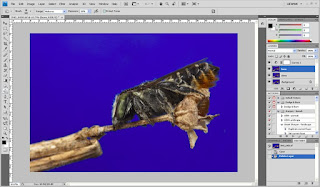


ii. duplicate additional layer
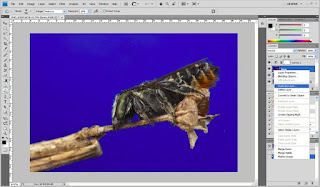


iii. go for USM
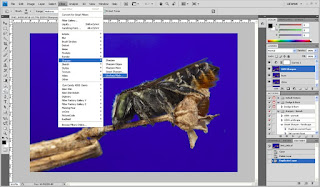

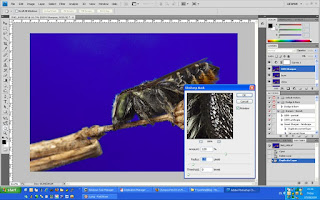
iv. normally I will apply 120, 0.5, 0 for my 5dm2 picture size
- this is very much depend what or how many you going to sharpen but no worry on over sharpen here as later stage we still can change it or softern it

v. change the opacity of the USM sharpen layer, normally I use 20-50%

vi. sample sharpen and non sharpen

sharpen
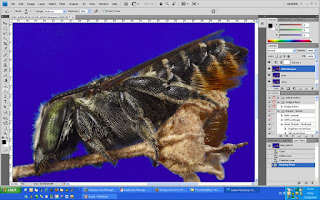

100% crop
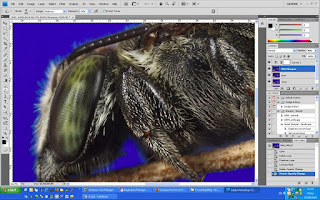


without sharpen


100% crop
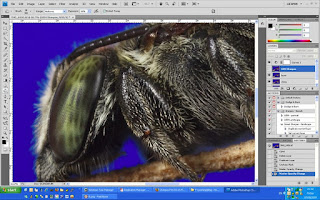

vii. after resize, picture normally look softer so
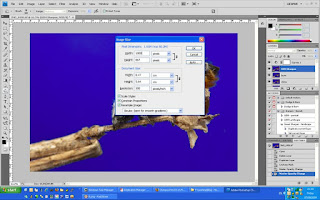

so I will increase the USM sharpen layer to higher opacity to get more sharp picture
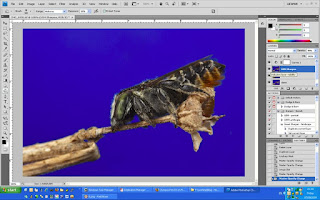


2. Smart Sharpen
- I learn this from "Juza photography", Juza is one of my favor natural photographer who really share how he shoot, pp ...
- I continue use the layer opacity method to avoid over sharpen too

i. duplicate a layer for "Smart Sharpen" purpose
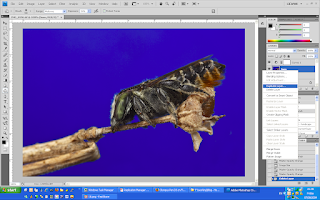


ii. go to filter - smart sharpen
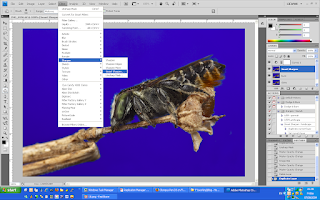

iii. depend how much you going to sharpen or your image size and again this could be change by the layer opacity
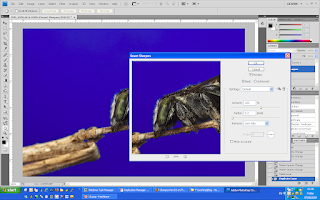

120, 0.2, Len Blur

iii. sharpen image and change opacity of the image so it is not over sharpen
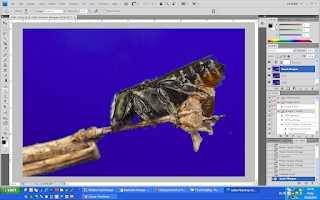

normally I apply 30-50% for full size of 5dm2 full size picture
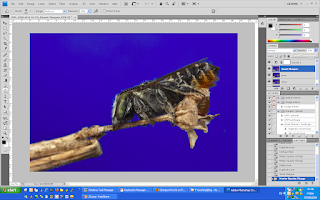

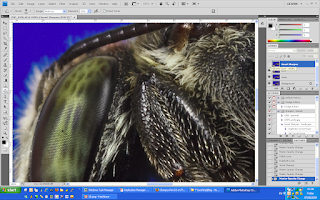
iv. sharpen and without sharpen picture on 100% crop
sharpen
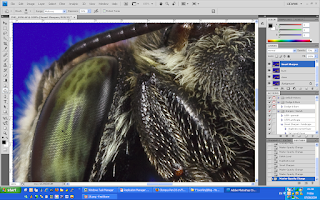

without sharpen

v. after resize, increase the opacity from 20-50% to 70-100% as the resize will soften the image
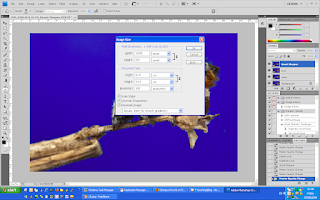
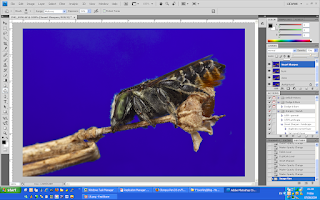


sorry for not really provide a good example here, the sharpen and without sharpen picture with very minimal different ... as rushing on this for a friend of my Derrick :D

but it is straight forward to have a try ... enjoy .....


Related Posts Plugin for WordPress, Blogger...